Solana 程序开发入门 - 本地节点搭建
通过一条命令快速安装,在Windows(WSL)、Linux和Mac上安装Rust、SolanaCLI和Anchor框架。
快速安装
通过一条命令快速安装,设置您的本地 Solana 开发环境。在 Windows(WSL)、Linux 和 Mac 上安装 Rust、Solana CLI 和 Anchor 框架。(如果您愿意,可以 单独安装每个依赖项。)
前置条件
Windows
在 Windows 上开发 Solana 程序,您必须使用 Windows Subsystem for Linux (WSL)。安装 WSL 后,所有其他依赖项将通过 Linux 终端安装。
要安装 WSL,请在 Windows PowerShell 中运行以下命令:
Terminal
wsl --install
安装过程中会提示您创建一个默认用户账户。
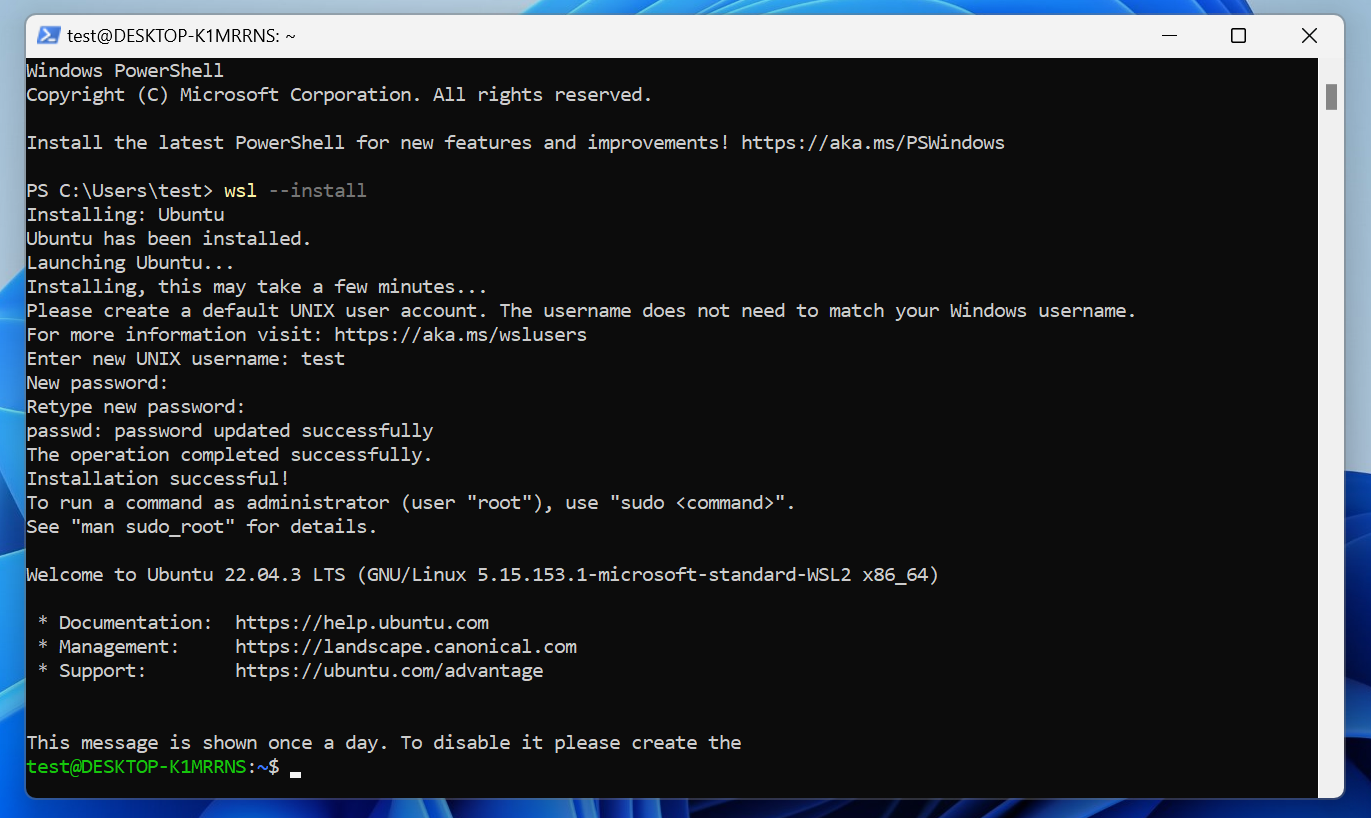
默认情况下,WSL 安装的是 Ubuntu。您可以通过在搜索栏中搜索“Ubuntu”来打开 Linux 终端。
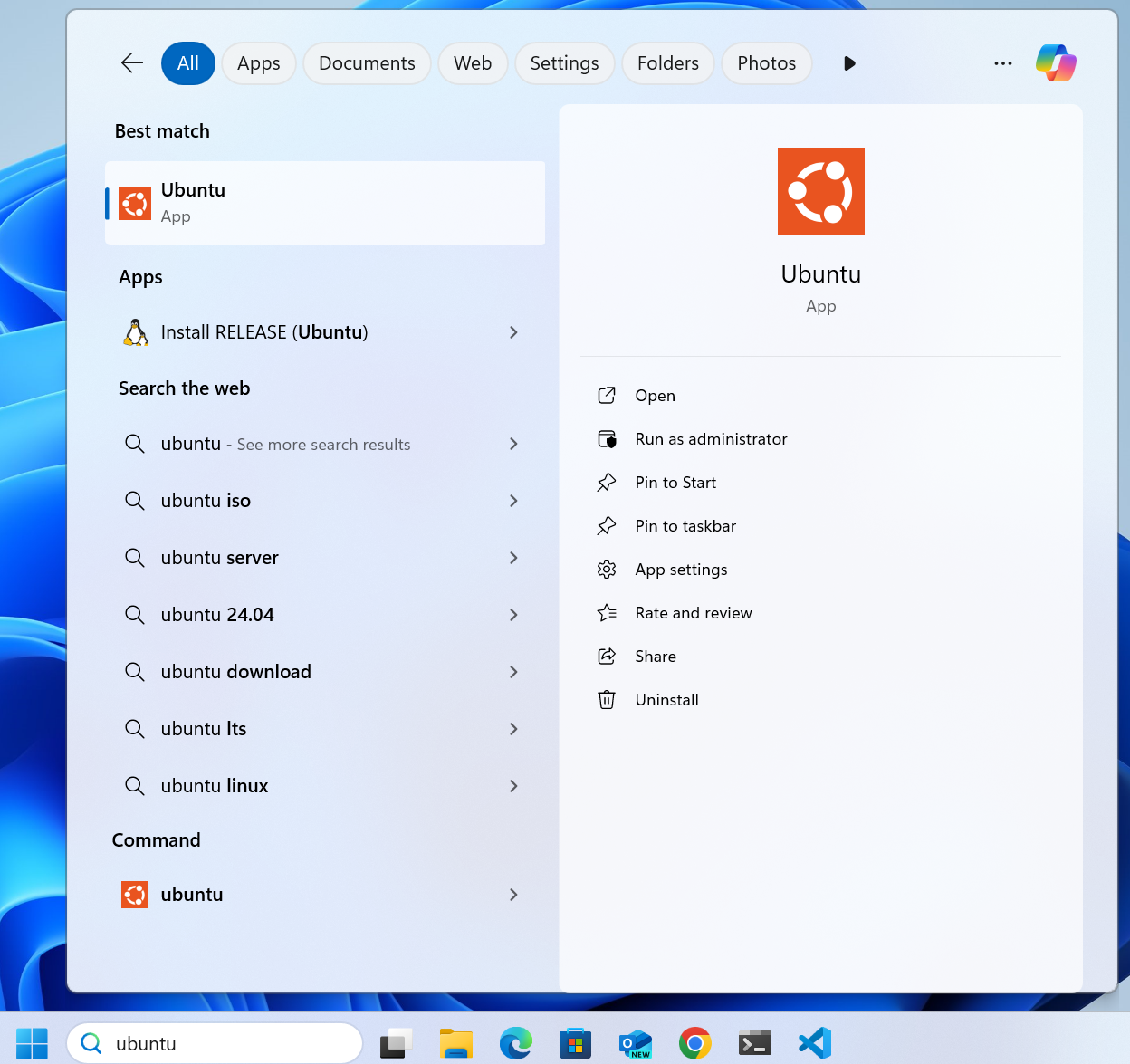
如果您的 Ubuntu 终端看起来像下图,您可能会遇到一个问题,即 ctrl + v(粘贴快捷键)在终端中不起作用。
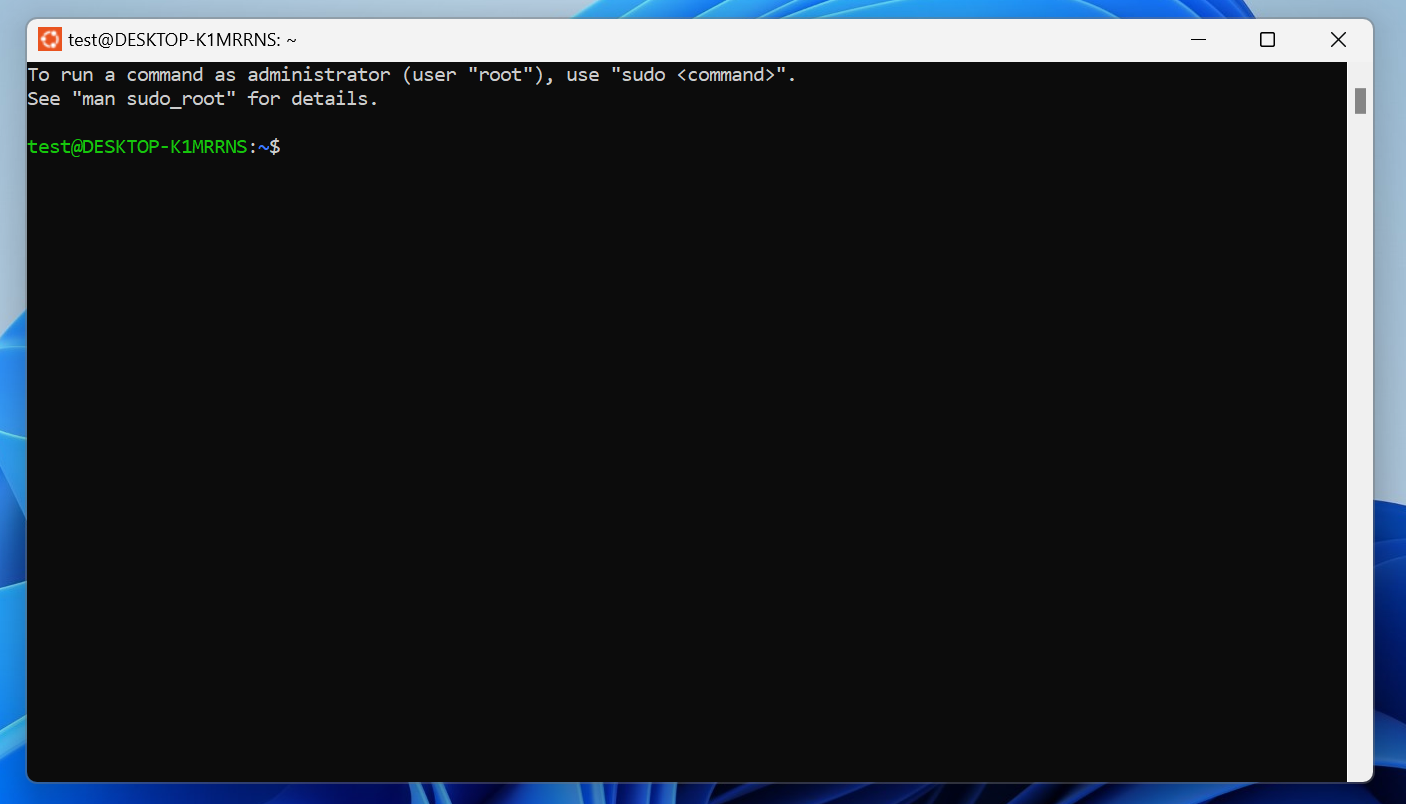
如果遇到此问题,请通过在搜索栏中搜索“Terminal”打开 Windows Terminal。
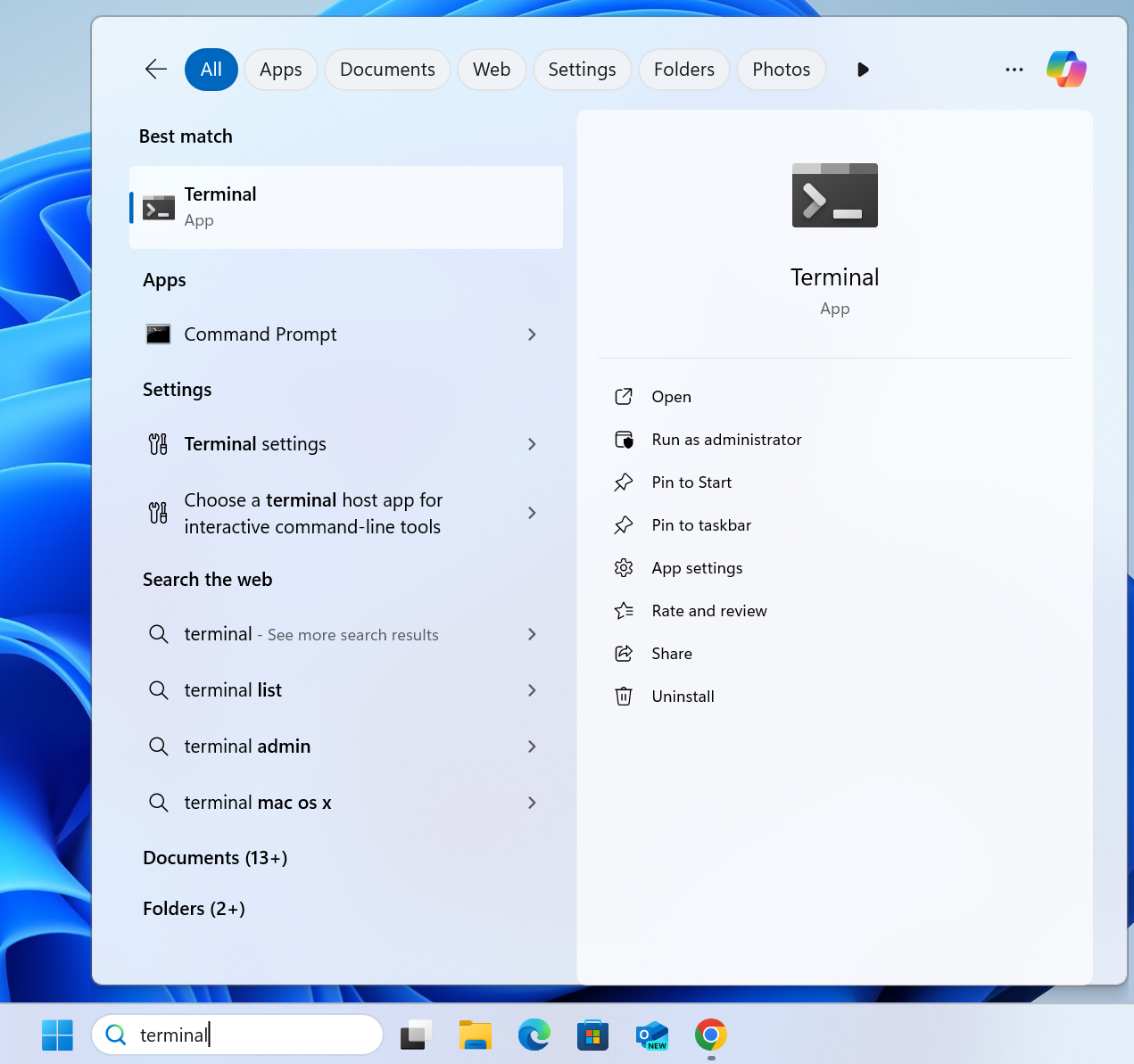
接下来,关闭 Windows Terminal,然后再次通过搜索 Ubuntu 打开 Linux 终端。此时终端应如下图所示,ctrl + v(粘贴快捷键)可以正常工作。
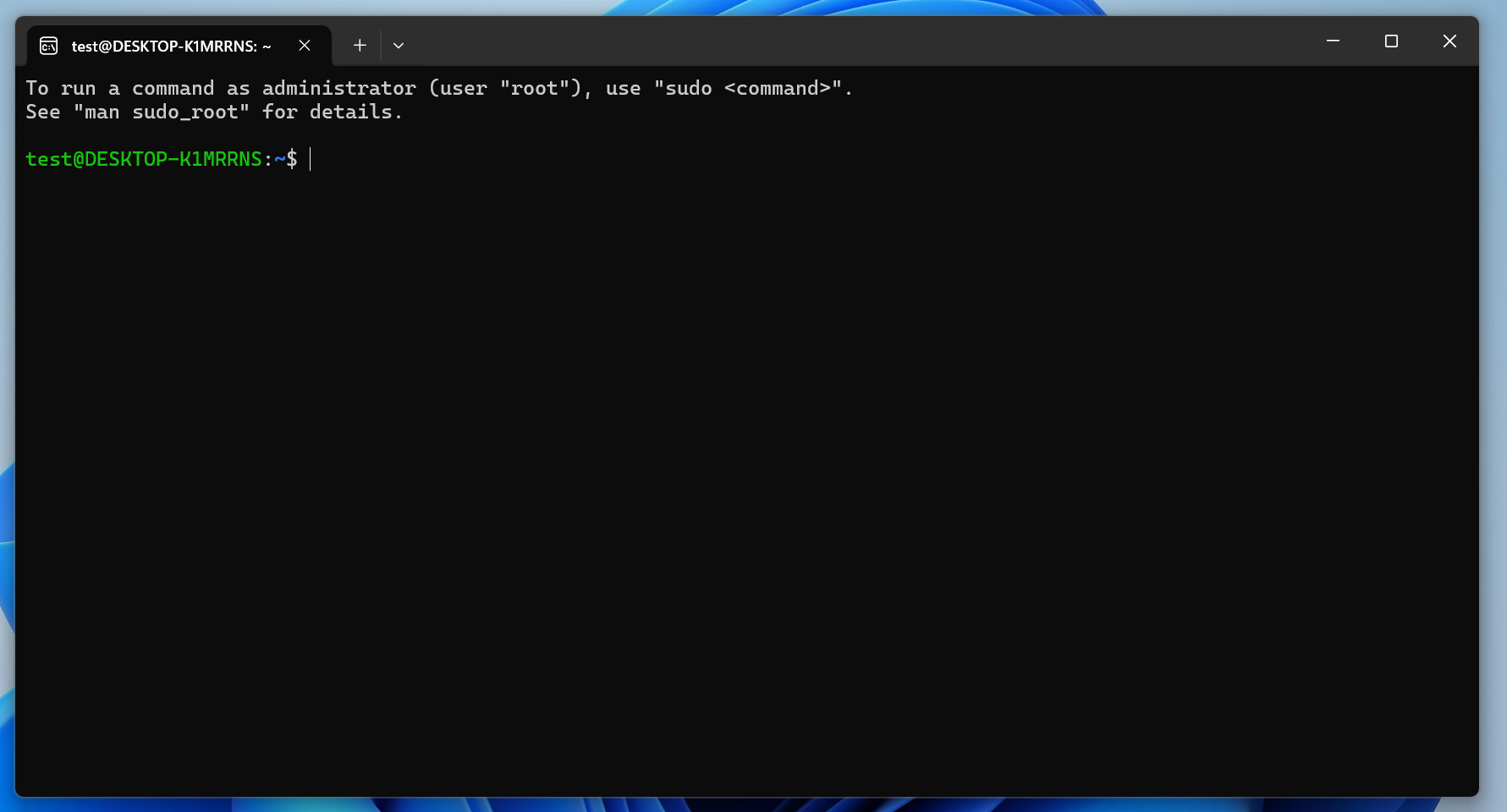
如果您使用 VS Code, WSL 扩展 允许您将 WSL 与 VS Code 一起使用。
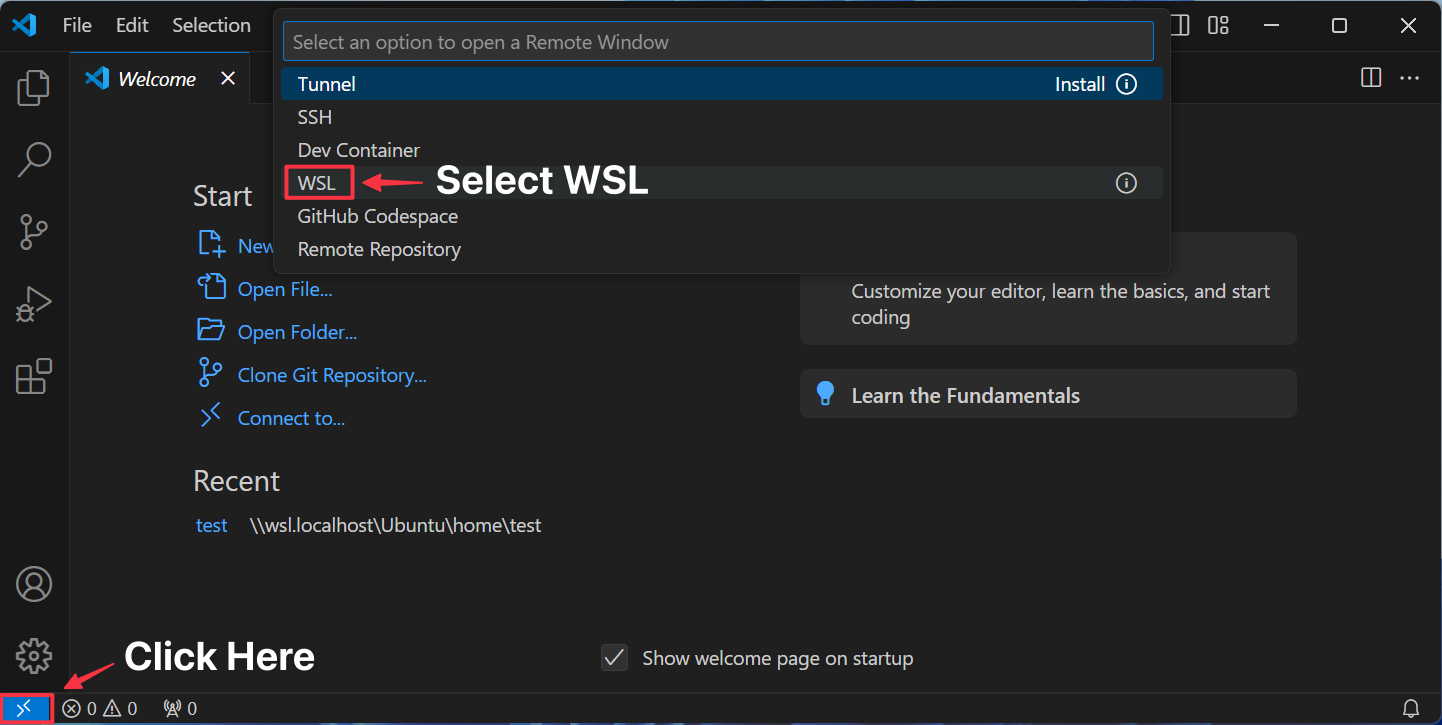
您将在 VS Code 状态栏中看到以下内容:
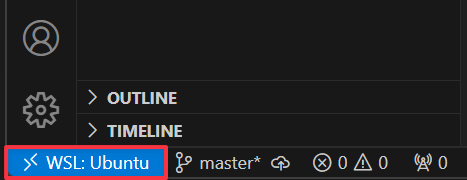 设置好 WSL 后,您可以选择以下操作:
- 使用 Ubuntu(Linux)终端完成快速安装
- 按以下说明分别安装 Rust、 Solana CLI 和 Anchor CLI
Linux
.deb
如果使用 Debian 或基于 Debian 的发行版(如 Ubuntu 或 Mint),请按照以下步骤操作:
- 更新软件包列表以确保所有软件包都是最新的:
sudo apt-get update
- 安装以下依赖项:
sudo apt-get install -y \

    build-essential \

    pkg-config \

    libudev-dev llvm libclang-dev \

    protobuf-compiler libssl-dev
ℹ️ 如果在安装 protobuf-compiler 时遇到以下错误,请确保您首先运行 _shellsudo apt-get update
Package protobuf-compiler is not available, but is referred to by another package.

This may mean that the package is missing, has been obsoleted, or

is only available from another source
.rpm
如果您使用的是 RHEL 衍生系统(如 Fedora 或 Red Hat Linux),请按照以下步骤操作。
通过运行命令更新软件包列表以获取软件包的较新版本。
sudo dnf upgrade --refresh
接下来,安装以下依赖项:
sudo dnf group install c-development development-tools \

&& sudo dnf install pkg-config openssl-devel
安装
- 在终端中输入以下命令以安装所有必要的依赖项:
curl --proto '=https' --tlsv1.2 -sSfL https://solana-install.solana.workers.dev | bash
成功安装后,输出将类似于以下内容:
Installed Versions:

Rust: rustc 1.91.1 (ed61e7d7e 2025-11-07)

Solana CLI: solana-cli 3.0.10 (src:96c3a851; feat:3604001754, client:Agave)

Anchor CLI: anchor-cli 0.32.1

Surfpool CLI: surfpool 0.12.0

Node.js: v24.10.0

Yarn: 1.22.1
- 通过检查每个已安装依赖项的版本,验证安装是否成功。
rustc --version && solana --version && anchor --version && surfpool --version && node --version && yarn --version
ℹ️ 如果快速安装命令失败,请参考以下安装依赖项部分,按照说明单独安装每个依赖项。
安装依赖项
以下内容将帮助您设置本地 Solana 开发环境。了解如何在 Windows (WSL)、Linux 和 Mac 上安装 Rust、Solana CLI 和 Anchor Framework。如果您希望单独安装每个依赖项,或者快速安装因某些原因失败,请使用以下指南。
前置条件
Windows
要在 Windows 上开发 Solana 程序,您必须使用Windows Subsystem for Linux(WSL)。安装 WSL 后,所有其他依赖项将通过 Linux 终端安装。
要安装 WSL,请在 Windows PowerShell 中运行以下命令:
$ wsl --install
安装过程中会提示您创建一个默认用户账户。
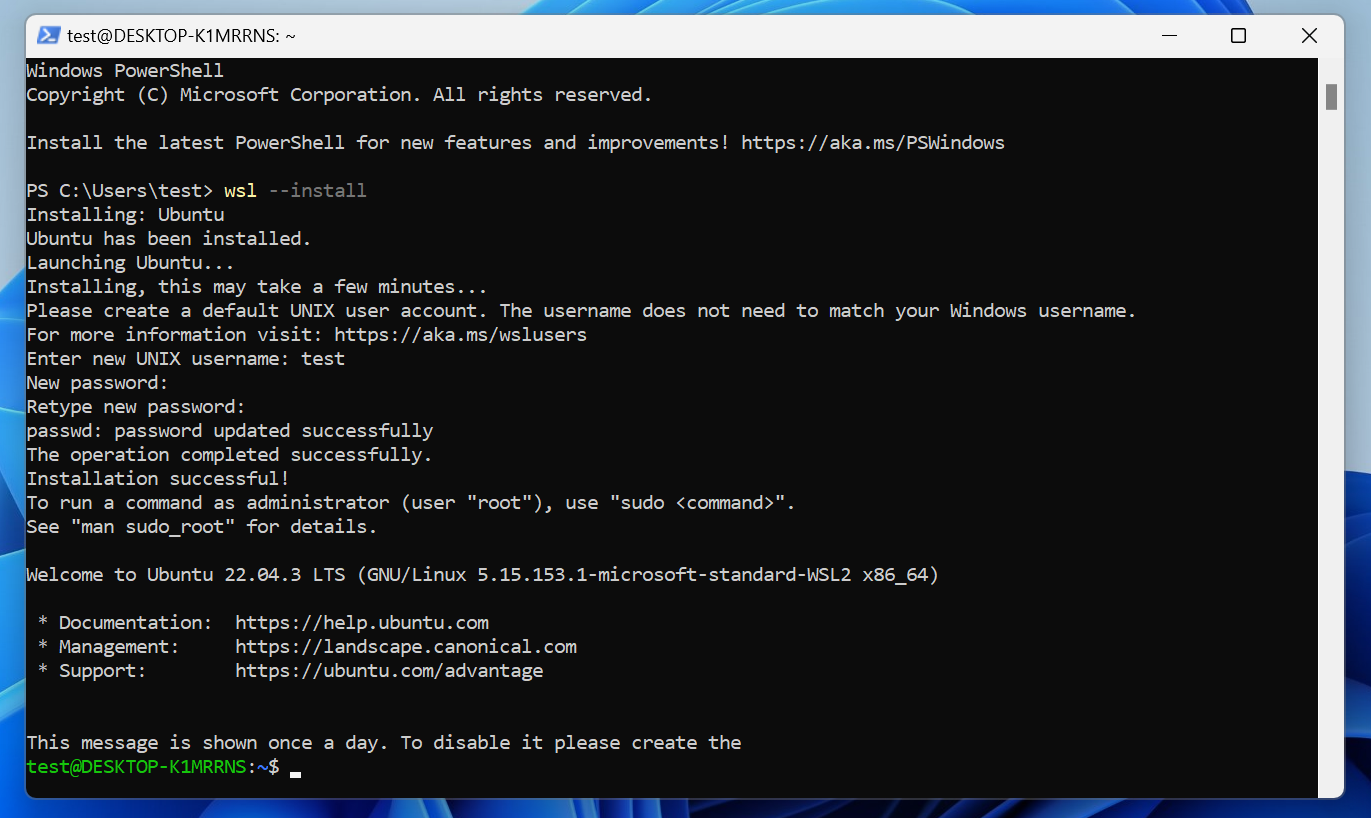
默认情况下,WSL 会安装 Ubuntu。您可以通过在搜索栏中搜索 "Ubuntu" 来打开 Linux 终端。
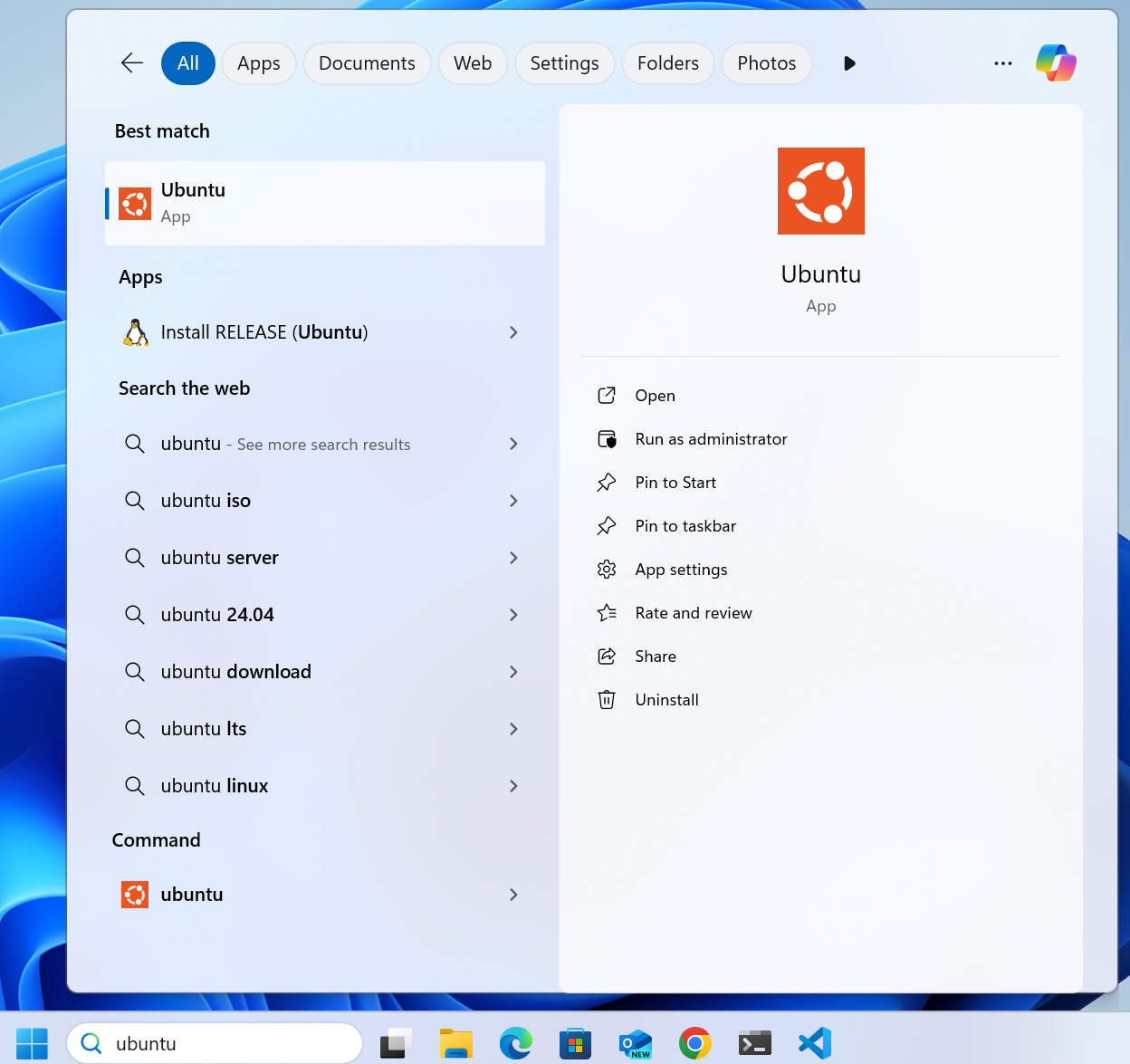
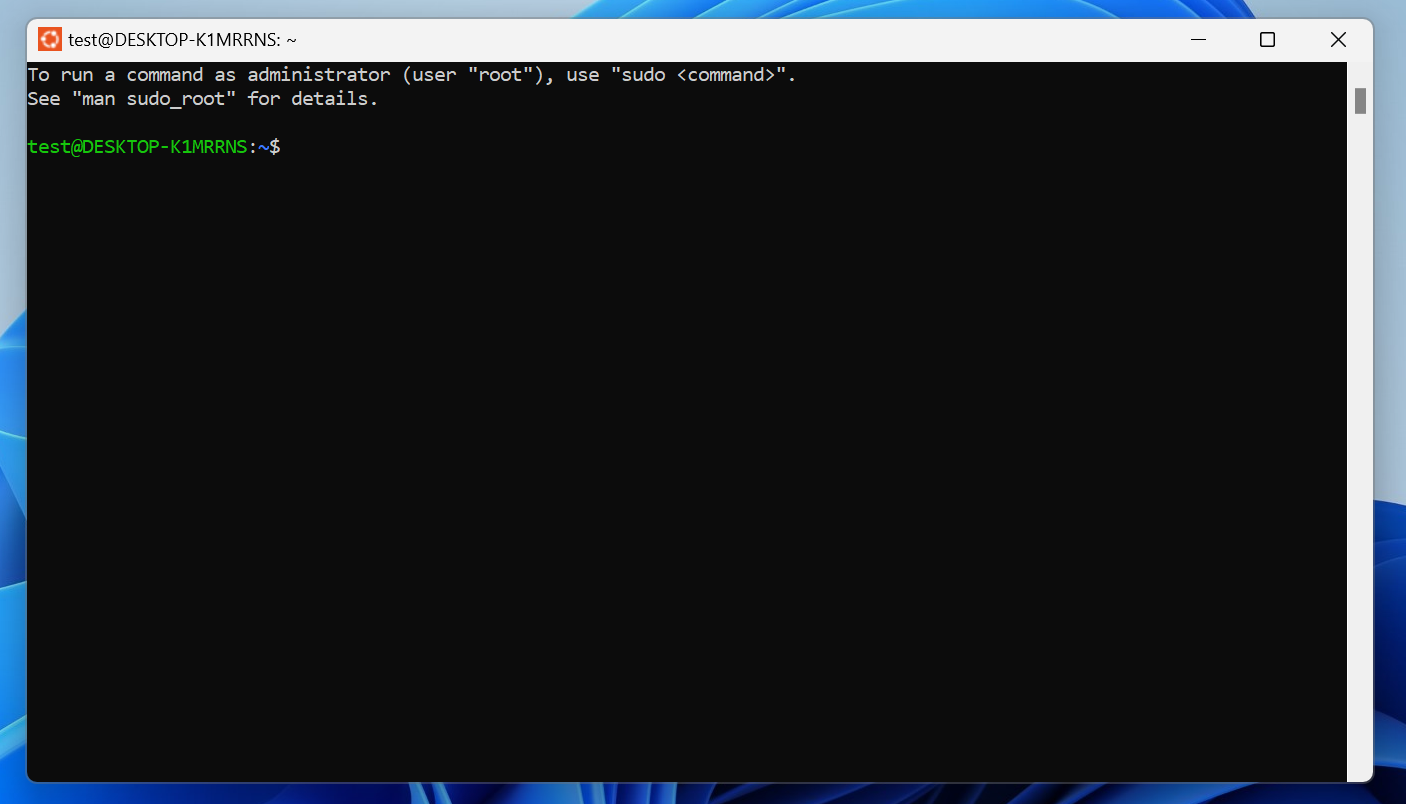
如果您的 Ubuntu 终端看起来如下图所示,您可能会遇到一个问题,即终端中ctrl + v(粘贴快捷键)无法使用。
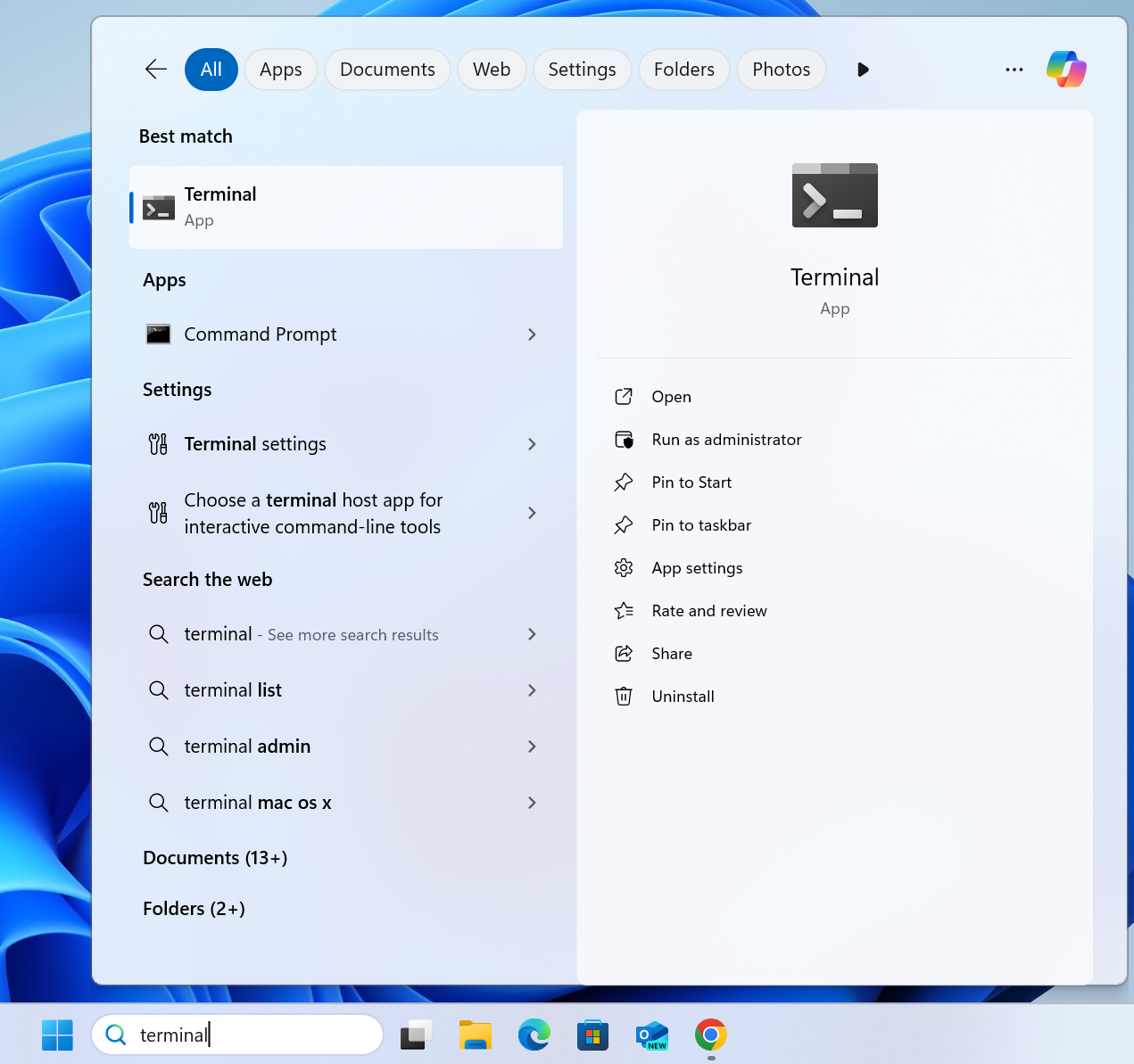
如果遇到此问题,请通过在搜索栏中搜索 "Terminal" 打开 Windows Terminal。
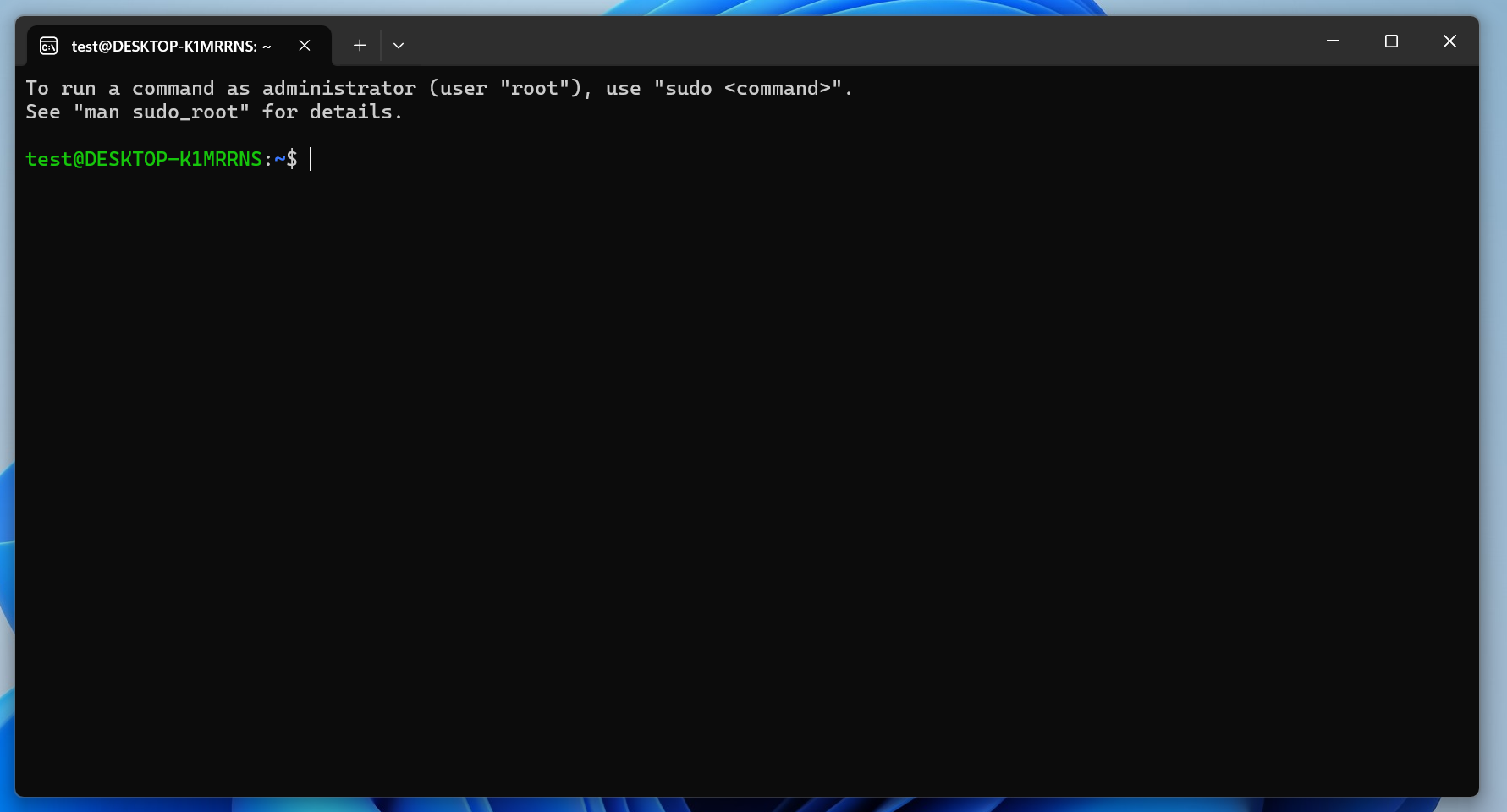
接下来,关闭 Windows
Terminal,然后再次通过搜索 Ubuntu 打开 Linux 终端。此时终端应如下图所示,ctrl + v(粘贴快捷键)可以正常使用。
如果您使用 VS Code,WSL 扩展允许您将 WSL 与 VS Code 一起使用。
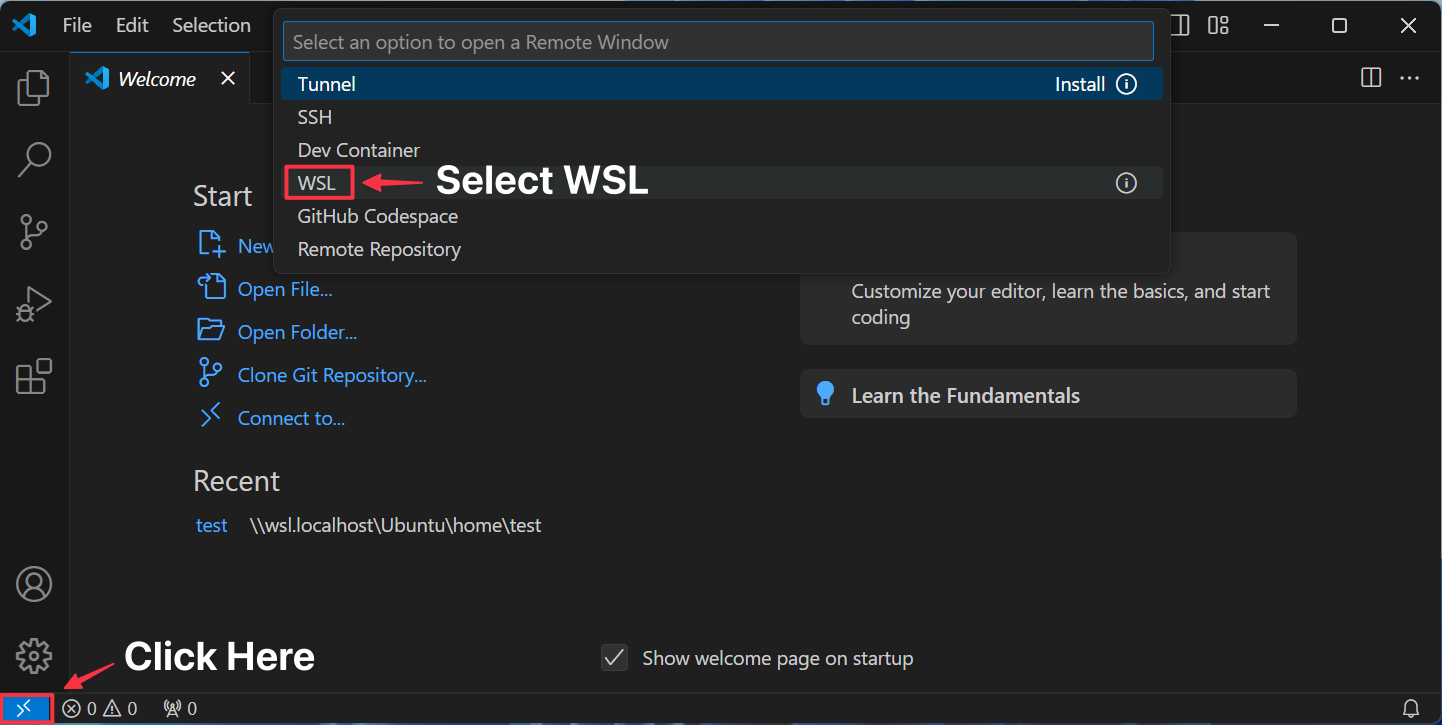
您将在 VS Code 状态栏中看到以下内容:
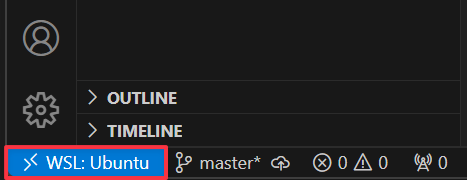
设置好 WSL 后,您可以选择以下操作:
- 使用 Ubuntu(Linux)终端完成快速安装
- 前进至安装 Rust、Solana CLI 和 Anchor CLI
"Linux"
.deb
如果使用 Debian 或基于 Debian 的发行版(如 Ubuntu 或 Mint),请按照以下步骤操作:
- 更新软件包列表以确保所有软件包都是最新的:
$ sudo apt-get update
- 安装以下依赖项:
$ sudo apt-get install -y \
    build-essential \
    pkg-config \
    libudev-dev llvm libclang-dev \
    protobuf-compiler libssl-dev
ℹ️ 如果在安装
protobuf-compiler时遇到以下错误,请确保先运行 _shellsudo apt-get update
Package protobuf-compiler is not available, but is referred to by another package.
This may mean that the package is missing, has been obsoleted, or
is only available from another source
.rpm
如果您使用的是 RHEL 衍生系统(如 Fedora 或 Red Hat Linux),请按照以下步骤操作。
通过运行命令更新软件包列表以获取更新版本的软件包。
$ sudo dnf upgrade --refresh
接下来,安装以下依赖项:
$ sudo dnf group install c-development development-tools \
&& sudo dnf install pkg-config openssl-devel
安装 Rust
开发者使用 Rust 编程语言构建 Solana 程序。
1. 使用 rustup
安装 Rust,在终端中输入以下命令:
$ curl --proto '=https' --tlsv1.2 -sSf https://sh.rustup.rs | sh -s -- -y
安装成功后,您将看到以下消息:
<Accordions> <Accordion title="Rust 安装成功消息">
Rust is installed now. Great!

To get started you may need to restart your current shell.
This would reload your PATH environment variable to include
Cargo's bin directory ($HOME/.cargo/bin).

To configure your current shell, you need to source
the corresponding env file under $HOME/.cargo.

This is usually done by running one of the following (note the leading DOT):
. "$HOME/.cargo/env"            # For sh/bash/zsh/ash/dash/pdksh
source "$HOME/.cargo/env.fish"  # For fish
</Accordion> </Accordions>
2. 重新加载您的 PATH 环境变量,以包含
Cargo 的 bin 目录:
$ . "$HOME/.cargo/env"
3. 验证安装是否成功。
$ rustc --version
您将看到类似以下的输出:
rustc 1.86.0 (05f9846f8 2025-03-31)
安装 Solana CLI
Solana CLI 提供了构建和部署 Solana 程序所需的所有工具。
1. 使用官方安装命令安装 Solana CLI 工具套件:
$ sh -c "$(curl -sSfL https://release.anza.xyz/stable/install)"
ℹ️ 您可以将
stable替换为与您所需版本匹配的软件版本标签(例如v2.0.3),或者使用以下三个符号通道名称之一:stable、beta或edge。
2. 添加 PATH 环境变量
首次安装 Solana CLI 时,可能会提示您添加一个 PATH环境变量。为此,请关闭并重新打开终端,或在 shell 中运行以下命令:
export PATH="/Users/test/.local/share/solana/install/active_release/bin:$PATH"
3. 更新您的 PATH 环境变量
Windows & Linux
如果您使用的是 Linux 或 WSL,则必须将 Solana CLI 二进制文件添加到您的 PATH 中,以便在终端中可以使用该命令。请按照以下步骤操作:
a. 检查您正在使用的 shell 类型:
$ echo $SHELL
- 如果输出包含
/bash,请使用.bashrc。 - 如果输出包含
/zsh,请使用.zshrc。
b. 根据您的 shell,运行相应的命令。
对于 Bash (bashrc):
$ echo 'export PATH="$HOME/.local/share/solana/install/active_release/bin:$PATH"' >> ~/.bashrc
$ source ~/.bashrc
对于 Zsh (zshrc):
$ echo 'export PATH="$HOME/.local/share/solana/install/active_release/bin:$PATH"' >> ~/.zshrc
$ source ~/.zshrc
Mac
如果您使用带有 zsh 的 Mac,运行默认的 export PATH命令后,安装记录不会在关闭终端后保留。相反,请通过运行以下命令将 PATH 添加到您的 shell 配置文件中:
$ echo 'export PATH="$HOME/.local/share/solana/install/active_release/bin:$PATH"' >> ~/.zshrc
ℹ️ 上述步骤不适用于
bash用户,因为对 PATH 变量的更改默认会保留。
4. 重启您的终端或运行以下命令以刷新终端会话:
$ source ~/.bashrc # If using Bash
$ source ~/.zshrc # If using Zsh
5. 通过检查 Solana CLI 版本来验证安装是否成功:
$ solana --version
您将看到如下输出:
solana-cli 2.2.12 (src:0315eb6a; feat:1522022101, client:Agave)
ℹ️ 您可以在 Agave Github 仓库查看所有可用版本Agave 是 Anza的验证器客户端,前身为 Solana Labs 验证器客户端。
5. 根据需要将 Solana CLI 更新到最新版本 (可选)
$ agave-install update
安装 Anchor CLI
Anchor是一个用于开发 Solana 程序的框架。Anchor 框架利用 Rust 宏简化了编写 Solana 程序的过程。
前置条件
使用 anchor init命令创建的默认 Anchor 项目测试文件(TypeScript)需要 Node.js 和 Yarn。(Rust 测试模板可通过anchor init --test-template rust 使用。)
"Node 安装"
- 使用 Node Version Manager (nvm)安装 Node,运行以下命令:
$ curl -o- https://raw.githubusercontent.com/nvm-sh/nvm/master/install.sh | bash
- 重启终端并确认
nvm命令成功运行:
$ command -v nvm
- 使用
nvm安装 Node:
$ nvm install node
- 验证安装是否成功,检查 Node 版本:
$ node --version
您将看到类似以下的输出:
v23.7.0
Yarn 安装
- 安装 Yarn:
$ npm install --global yarn
- 验证安装是否成功,检查 Yarn 版本:
$ yarn --version
您将看到以下输出:
1.22.1
安装
您可以通过两种方式安装 Anchor CLI 和工具:
- Anchor Version Manager (AVM) — 推荐的安装方法
- 不使用 AVM — 直接从 GitHub 安装
AVM
Anchor 版本管理器 (AVM) 允许您在系统上安装和管理不同的 Anchor 版本,并在未来轻松更新 Anchor 版本。要使用 AVM 安装 Anchor,请按照以下步骤操作:
- 使用以下命令安装 AVM:
$ cargo install --git https://github.com/solana-foundation/anchor avm --force
- 确认 AVM 是否成功安装:
$ avm --version
- 使用 AVM 安装 Anchor CLI:
要安装最新版本:
$ avm install latest
$ avm use latest
要安装特定版本,请指定版本号:
$ avm install 0.30.1
$ avm use 0.30.1
<Callout type="warn">
⚠️ 在 Linux 或 WSL 上安装 Anchor CLI 时,您可能会遇到以下错误:
error: could not exec the linker cc = note: Permission denied (os error 13)如果您看到此错误消息,请按照以下步骤操作:
- 安装本页面顶部 Linux部分列出的依赖项。
- 重试安装 Anchor CLI。
- 验证安装是否成功,检查 Anchor CLI 的版本:
$ anchor --version
您将看到类似以下的输出:
anchor-cli 0.31.1
ℹ️ 别忘了运行 shell
avm use命令来声明系统上运行的 Anchor CLI 版本。
- 如果您安装了
latest版本,请运行 shellavm use latest。- 如果您安装了
0.30.1版本,请运行 shellavm use 0.30.1。
Without AVM"
- 使用以下命令安装特定版本的 Anchor CLI:
$ cargo install --git https://github.com/solana-foundation/anchor --tag v0.30.1 anchor-cli
- 验证安装是否成功,检查 Anchor CLI 的版本:
$ anchor --version
您将看到类似以下的输出:
anchor-cli 0.31.1
安装Surfpool CLI
Surfpool 是一个用于本地开发的工具,并且是solana-test-validator 的改进代品。您可以在Surfpool 文档 中了解更多关于 Surfpool 功能的信息。
- 使用以下命令安装 Surfpool:
$ curl -sL https://run.surfpool.run/ | bash
- 通过检查 Surfpool CLI 的版本来验证安装是否成功:
$ surfpool --version
您将看到类似以下的输出:
surfpool 0.12.0
为 Solana 开发设置 AI 工具
本节详细介绍了可选的 AI 工具设置,您可以使用这些工具加速 Solana 开发。
| 工具 | 描述 | 链接 |
|---|---|---|
| MCP | MCP 服务器,您可以通过光标连接以改进 Solana 的 AI 辅助开发。 | https://mcp.solana.com/ |
| LLMs.txt | 优化的 LLM 文档,您可以使用它来训练 Solana 文档上的 LLM。 | https://solana.com/llms.txt |
本文来自 Solana 文档:https://solana.com/zh/docs/rpc/json-structures

 GitHub 登录
 Web3 钱包登录