Solidity 开发之如何引用 OpenZeppelin 历史类库
- martin
- 发布于 2025-12-11 10:32
- 阅读 777
如何引用 OpenZeppelin 历史类库
背景
在使用 Remix 进行 Solidity 开发,我们时常需要引用到一些外部的依赖包,如 OpenZeppelin 的相关类库。但是,Remix 默认引用的都是 OpenZeppelin 最新的类库,当我们想要使用低版本的 Solidity 编译器或者一个合约依赖的多个类库之间有 Solidity 编译版本冲突的时候,我们需要采用到这些类库之前的版本。
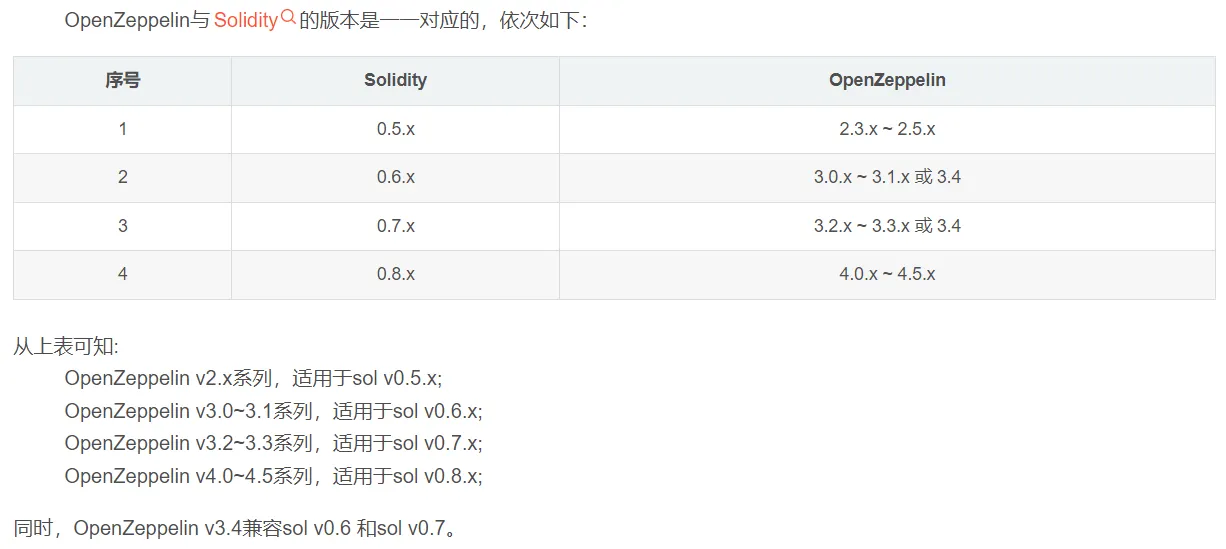
版本对应关系
具体操作流程
- 找到 OpenZeppelin 的 GitHub 官网地址
- 选择对应的 Release 版本
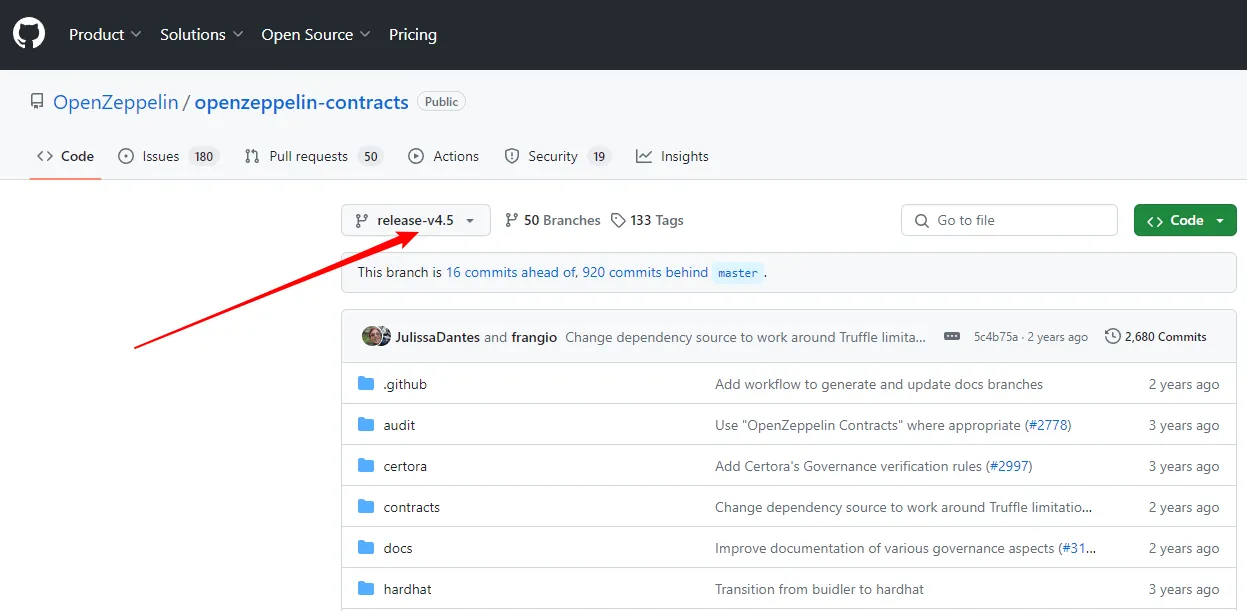
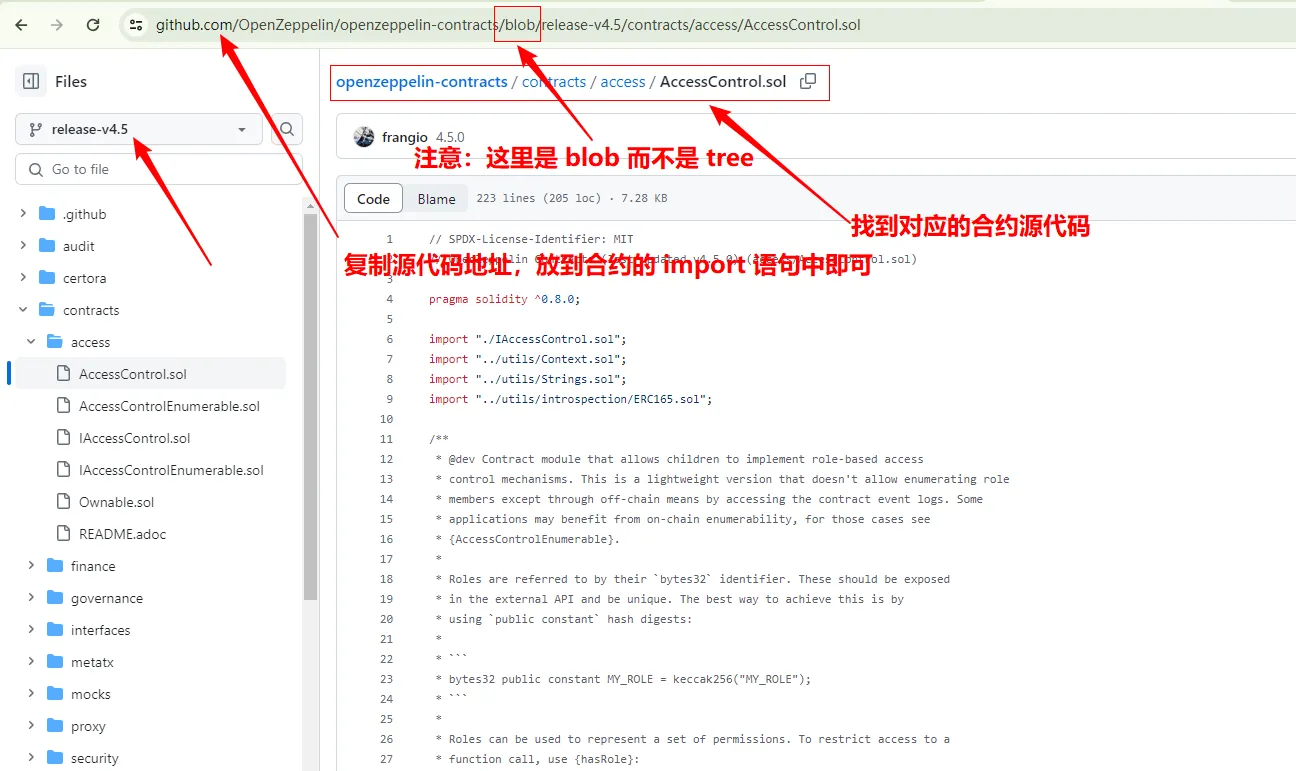
- 在对应 Release 下找到对应的合约源代码,然后复制源代码的链接,放到 Solidity 中的 import 语句后面即可
注意:必须定位到具体 *.sol 文件中,否则复制出来的文件路径是不对的。示例:定位到文件,路径中显示的事 blob,定位到文件夹路径中显示的是 tree
定位到文件复制出来的路径:https://github.com/OpenZeppelin/openzeppelin-contracts/blob/release-v4.5/contracts/access/AccessControl.sol
没有定位到文件复制出来的路径:https://github.com/OpenZeppelin/openzeppelin-contracts/tree/release-v4.5/contracts/access
-
在自己的 Solidity 合约源码中直接引用复制出来的 blob 路径即可
// SPDX-License-Identifier: MIT
pragma solidity ^0.6.0;

import "https://github.com/OpenZeppelin/openzeppelin-contracts/blob/release-v3.0.0/contracts/token/ERC20/ERC20.sol";

contract WETH is ERC20 {
    constructor() ERC20('Wrapped Ether', 'WETH') public {}

    function mint() external payable {
        _mint(msg.sender, msg.value);
    }

    function burn(uint amount) external {
        _burn(msg.sender, amount);
    }
}
Reference Links
- 原创
- 学分: 9
- 分类: 以太坊
- 标签: Open Zeppelin


本文参与登链社区写作激励计划 ,好文好收益,欢迎正在阅读的你也加入。