你本可以发明 Claude Code
- dabit3
- 发布于 2026-01-10 13:44
- 阅读 834
本文从零开始,逐步构建了 Claude Code 的架构,展示了如何从第一性原理出发,利用终端、LLM API 构建 AI Agent。文章详细介绍了构建 AI Agent 的核心概念,如Agent Loop、工具的使用、权限控制、上下文管理和项目特定配置,并提供了一个简化的 Claude Code 实现示例。

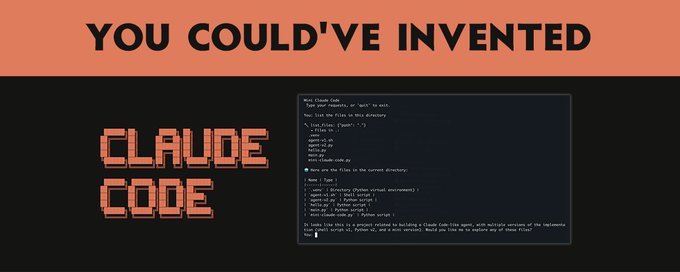
你本可以发明 Claude Code
复杂性来自于处理边界情况、构建良好的用户体验以及与实际开发工作流程集成。
在这篇文章中,我将从头开始,逐步构建 Claude Code 的架构,展示如何仅使用终端、LLM API 和使 AI 真正有用的愿望,从第一性原理出发自己发明它。
最终目标:学习强大的代理如何工作,以便你可以构建自己的代理
首先,让我们确定要解决的问题。
当你在浏览器中使用 ChatGPT 或 Claude 时,你正在进行大量的手工劳动:
-
将代码从聊天复制粘贴到文件中
-
自己运行命令,然后复制错误信息
-
通过上传文件或粘贴内容来提供上下文
-
手动迭代修复-测试-调试循环
你本质上是在充当 AI 的双手。 AI 思考;你执行。
如果 AI 也能执行呢?
想象一下告诉 AI:“修复 auth.py 中的 bug”,然后走开。当你回来时,bug 已经修复。 AI 读取了文件,理解了它,尝试了一种修复方法,运行了测试,发现它们失败了,尝试了另一种方法,最终成功了。
这就是代理所做的事情。它是一个可以执行以下操作的 AI:
-
在现实世界中采取行动(读取文件、运行命令)
-
观察结果
-
决定下一步做什么
-
重复直到任务完成
让我们从头开始构建一个。
最简单的代理
让我们从绝对最小值开始:一个可以运行单个 bash 命令的 AI。
用法
> fix_bug("ls -l")
total 16
-rw-r--r--  1 ubuntu  staff  823 Jan 11 22:34 README.md
-rw-r--r--  1 ubuntu  staff  133 Jan 11 22:34 main.py
这...不是很有用。 AI 可以提出一个命令,然后你又得手动完成所有事情。
但这里有一个关键的见解:如果我们把它放在一个循环中会怎样?
目标:创建代理循环
所有 AI 代理背后的基本见解是代理循环:
让我们准确地实现这一点。 AI 需要告诉我们:
-
要采取什么行动
-
是否完成
我们将使用一个简单的 JSON 格式:
{
    "action": "bash",
    "command": "ls -l",
    "done": false
}
现在我们有一些可以实际迭代的东西:
> fix_bug("Fix the linting errors")
AI: {"action": "bash", "command": "pylint main.py", "done": false}
OUTPUT: main.py:1:0: C0301: Line too long (133/100) (line-too-long)
AI: {"action": "bash", "command": "autopep8 main.py", "done": false}
OUTPUT:
AI: {"action": "done", "done": true}
AI 运行了两个命令,然后告诉我们它完成了。我们创建了一个代理循环!
但是等等!我们正在执行任意命令,没有安全检查。 AI 可以 rm -rf /,我们会盲目地执行它。
目标:添加权限控制
让我们为危险操作添加人工参与的环节。首先,我们定义一个函数,用安全检查包装命令执行:
def eval_with_approval(command):
    # Ask user for approval
    approval = input(f"Approve command? {command} (y/n): ")
    if approval.lower() == 'y':
        return eval(command)
    else:
        return "Command denied"
然后,在代理循环内部,我们将直接的 eval 调用替换为我们的新函数:
action = response["action"]
if action == "bash":
    command = response["command"]
    observation = eval_with_approval(command)
就是这样!该函数位于 AI 的请求和实际执行之间,让你有机会阻止危险命令。当被拒绝时,你可以将此反馈给 AI,以便它可以尝试不同的方法。
尝试一下:
> fix_bug("Delete all the files")
AI: {"action": "bash", "command": "rm -rf /", "done": false}
Approve command? rm -rf / (y/n): n
AI: {"action": "done", "done": true}
键入 y 以允许删除,或键入 n 以阻止它。
这是权限系统的开始。 Claude Code 在此基础上更进一步:
-
特定于工具的权限(文件编辑与 bash 命令)
-
基于模式的允许列表(
Bash(npm test:*)允许任何npm test命令) -
会话级别的“接受所有”模式,用于当你信任 AI 时
关键的见解:人应该能够控制 AI 可以做什么,但要有足够的粒度,使其不会令人讨厌。
目标:超越 bash - 添加工具
运行 bash 命令功能强大,但它也是:
-
危险:无限制地访问系统
-
效率低下:读取文件不应产生子进程
-
不精确:输出解析很脆弱
如果我们给 AI 提供结构化的工具会怎样?
我们将在这里切换到 Python,因为它能更干净地处理 JSON 和 API 调用:
tools = {
    "read_file": lambda path: open(path).read(),
    "write_file": lambda path, content: open(path, 'w').write(content)
    }

def run_agent(task):
    prompt = f"You can use these tools: {tools.keys()}"
    while True:
        response = anthropic.completions.create(
            model="claude-2",
            max_tokens_to_sample=1000,
            prompt=f"{prompt}\nUser: {task}\nAI:",
            stop_sequences = ["\nUser:"]
        ).completion
        try:
            action = extract_json(response)
            if action["action"] == "read_file":
                content = tools["read_file"](action["path"])
                prompt += f"\nFile content: {content}"
            elif action["action"] == "write_file":
                tools["write_file"](action["path"], action["content"])
                prompt += "\nWrote file"
            elif action["action"] == "done":
                return action["answer"]
        except:
            prompt += "\nError. Please try again."
现在我们正在使用 Anthropic 的原生工具使用 API。这要好得多,因为:
-
类型安全:AI 确切地知道每个工具接受哪些参数
-
显式操作:读取文件是一个
read_file调用,而不是cat -
受控的表面积:我们决定存在哪些工具
尝试一下:
> run_agent("List the files in the directory")
AI: {"action": "read_file", "path": "ls -l"}
OUTPUT: Error. Please try again.
AI: {"action": "read_file", "path": "README.md"}
OUTPUT: Claude > ChatGPT
AI: {"action": "done", "answer": "Files: README.md"}
目标:使编辑精确
我们的 write_file 工具存在一个问题:它会替换整个文件。如果 AI 对一个 1000 行的文件进行了小的更改,它必须输出所有 1000 行。这是:
-
昂贵:更多的输出 tokens = 更多的成本
-
容易出错:AI 可能会意外删除行
-
缓慢:生成这么多文本需要时间
如果我们有一个用于外科手术式编辑的工具会怎样?
实现:
def str_replace(path, old, new):
    content = open(path).read()
    assert old in content # prevent mass replacement
    content = content.replace(old, new)
    open(path, 'w').write(content)

tools = {
    "read_file": lambda path: open(path).read(),
    "write_file": lambda path, content: open(path, 'w').write(content),
    "str_replace": str_replace
    }
这正是 Claude Code 的 str_replace 工具的工作方式。对唯一性的要求可能看起来很烦人,但它实际上是一个功能:
-
迫使 AI 包含足够的上下文以消除歧义
-
创建一个自然的差异,便于人类审查
-
防止意外的大量替换
目标:搜索代码库
到目前为止,我们的代理可以读取它知道的文件。但是像“找到身份验证 bug 的位置”这样的任务呢?
AI 需要搜索代码库。让我们为此添加工具。
import glob, subprocess
tools = {
    "read_file": lambda path: open(path).read(),
    "write_file": lambda path, content: open(path, 'w').write(content),
    "str_replace": str_replace,
    "glob": glob.glob
    "grep": lambda pattern, path: subprocess.check_output(['grep', pattern, path]).decode('utf-8')
    }
现在 AI 可以:
-
glob("**/*.py")→ 查找所有 Python 文件 -
grep("def authenticate", "src/")→ 查找身份验证代码 -
read_file("src/auth.py")→ 读取相关文件 -
edit_file(...)→ 修复 bug
这就是模式:为 AI 提供探索工具,它可以导航以前从未见过的代码库。
目标:上下文管理
以下是你将很快遇到的问题:上下文窗口是有限的。
如果你在一个大型代码库上工作,对话可能如下所示:
-
用户:“修复身份验证中的 bug”
-
AI:读取 10 个文件,运行 20 个命令,尝试 3 种方法
-
...对话现在有 100,000 个 tokens
-
AI:耗尽上下文并开始忘记早期信息
我们该如何处理这个问题?
选项 1:摘要(压缩)
当上下文变得太长时,总结发生了什么:
conversation = summarize(conversation)选项 2:子代理(委派)
对于复杂的任务,生成一个具有自己上下文的子代理:
sub_agent = Agent(context=smaller_context)
sub_agent.run(focused_task)
这就是 Claude Code 具有子代理概念的原因:专门的代理在其自己的上下文中处理集中的任务,仅返回结果。
目标:系统提示
我们一直在忽略一些重要的事情:AI 如何知道如何表现?
系统提示是你编码的地方:
-
AI 的身份和能力
-
工具使用指南
-
特定于项目的上下文
-
行为规则
以下是一个简化的版本,说明了 Claude Code 的有效性:
You are Claude Code, an AI coding assistant.
- Use the tools to understand the codebase, then write code to solve the task.
- Start by listing the files in the directory.
- When writing code, be concise.
但这里有一个问题:如果项目有特定的约定怎么办?如果团队使用特定的测试框架,或者具有非标准的目录结构怎么办?
目标:特定于项目的上下文(CLAUDE.md)
Claude Code 使用 CLAUDE.md 解决了这个问题 - 项目根目录下的一个文件,该文件会自动包含在上下文中:
# Project: FancyProject

This project uses pytest for testing. Run tests with: pytest tests/.
The source code is in the src/ directory.
The authentication code is in src/auth.py.
现在 AI 知道:
-
如何为此项目运行测试
-
在哪里可以找到东西
-
要遵循哪些约定
-
要注意哪些已知的陷阱
这是 Claude Code 最强大的功能之一:随代码一起传递的项目知识。
将它们放在一起
让我们看看我们构建了什么。 AI 编码代理的核心是这个循环:
-
设置(运行一次)
-
加载带有工具描述、行为准则和项目上下文的系统提示(CLAUDE.md)
-
初始化一个空的对话历史记录
-
-
代理循环(重复直到完成)
-
将对话历史记录发送到 LLM
-
LLM 决定:使用工具或回复用户
-
如果使用工具:
-
LLM 选择一个工具并提供参数
-
执行该工具并观察结果
-
将结果添加到对话历史记录
-
-
如果最终答案:
- 将答案返回给用户
-
就是这样。从我们的 50 行 bash 脚本到 Claude Code,每个 AI 编码代理都遵循这种模式。
现在让我们构建一个完整的、可工作的 mini-Claude Code,你可以实际使用它。它结合了我们所学的一切:代理循环、结构化工具、权限检查和一个交互式 REPL:
import anthropic, json, os, glob, subprocess

# -----------------------------------------------------------------------
# CONFIG
# -----------------------------------------------------------------------

MODEL_NAME = "claude-2"
SYSTEM_PROMPT = """
You are a coding assistant. You can use tools to read, write, and modify files.
"""
# -----------------------------------------------------------------------
# TOOLS
# -----------------------------------------------------------------------

def read_file(path):
    print(f"READ: {path}")
    try: return open(path).read()
    except: return "Error: Could not read file."

def write_file(path, content):
    print(f"WRITE: {path}")
    with open(path, 'w') as f:
        f.write(content)
    return "Wrote file successfully."

def str_replace(path, old, new):
    print(f"REPLACE: {path}")
    content = open(path).read()
    assert old in content # prevent mass replacement
    content = content.replace(old, new)
    open(path, 'w').write(content)
    return "Replaced text successfully."

def run_command(command):
    print(f"RUN: {command}")
    try:
        result = subprocess.check_output(command, shell=True, stderr=subprocess.STDOUT).decode('utf-8')
        return result
    except subprocess.CalledProcessError as e:
        return f"Error: {e.output.decode('utf-8')}"

TOOLS = {
    "read_file": read_file,
    "write_file": write_file,
    "str_replace": str_replace,
    "run_command": run_command,
    "glob": glob.glob,
}

# -----------------------------------------------------------------------
# AGENT
# -----------------------------------------------------------------------

def run_agent(task, conversation):
    prompt = f"""{SYSTEM_PROMPT}

You have access to these tools: {TOOLS.keys()}.
To use a tool, specify the tool name and parameters in JSON.
For example: {{"tool": "read_file", "path": "my_file.txt"}}

Here is the conversation history:
{conversation}

Now, respond to the user.
User: {task}
AI: """

    response = anthropic.completions.create(
        model=MODEL_NAME,
        max_tokens_to_sample=2000,
        prompt=prompt,
        stop_sequences = ["User:"]
    ).completion

    try:
        action = json.loads(response)
        tool_name = action["tool"]
        tool = TOOLS[tool_name]
        params = {k: v for k, v in action.items() if k != "tool"} # remove "tool"
        observation = tool(**params)

        conversation += f"User: {task}\nAI: {response}\nObservation: {observation}\n"
        return observation, conversation
    except Exception as e:
        return f"I don't understand. Error: {e}", conversation

# -----------------------------------------------------------------------
# MAIN LOOP
# -----------------------------------------------------------------------

if __name__ == "__main__":
    os.environ["ANTHROPIC_API_KEY"] = input("Please enter your Anthropic API key: ")
    conversation = ""
    while True:
        task = input("Enter your task: ")
        observation, conversation = run_agent(task, conversation)
        print(observation)
将其另存为 mini-claude-code.py 并运行它:
python mini-claude-code.py这是一个会话的样子:
Enter your task: List the files in the current directory
RUN: ls -l
total 24
-rw-r--r-- 1 ubuntu ubuntu  3753 Jan 12 00:49 mini-claude-code.py
-rw-r--r-- 1 ubuntu ubuntu   144 Jan 12 00:25 README.md
...
Enter your task: Read the contents of mini-claude-code.py
READ: mini-claude-code.py
import anthropic, json, os, glob, subprocess
...
Enter your task: Replace MODEL_NAME with claude-v1
REPLACE: mini-claude-code.py
Replaced text successfully.
Enter your task: done
Okay, I'm done!
这是一个在约 150 行代码中工作的 mini Claude Code 克隆。它具有:
-
交互式 REPL:在提示之间保持对话上下文
-
多个工具:读取、写入、列出文件、运行命令
-
权限检查:在写入文件或运行危险命令之前询问
-
对话记忆:每个后续步骤都建立在先前的上下文之上
这本质上是 Claude Code 所做的,加上:
-
一个精致的终端 UI
-
完善的权限系统
-
当对话变长时进行上下文压缩
-
用于复杂任务的子代理委派
-
用于自定义自动化的Hook
-
与 git 和其他开发工具集成
Claude 代理 SDK
如果你想在此基础上进行构建,而无需重新发明轮子,Anthropic 提供了 Claude 代理 SDK。 它是为 Claude Code 提供支持的同一引擎,以库的形式公开。
以下是使用 SDK 的简单代理的样子:
from claude_agent import ClaudeAgent

agent = ClaudeAgent(
    model_name="claude-2",
    system_prompt="You are a helpful coding assistant."
)

response = agent.run(task="List the files in the current directory")
print(response)
SDK 处理:
-
代理循环(因此你不必这样做)
-
所有内置工具(读取、写入、编辑、Bash、Glob、Grep 等)
-
权限管理
-
上下文跟踪
-
子代理协调
我们学到了什么
从一个简单的 bash 脚本开始,我们发现:
-
代理循环:AI 决定 → 执行 → 观察 → 重复
-
结构化工具:比原始 bash 更好,更安全、更精确
-
外科手术式编辑:
str_replace胜过完整的文件重写 -
搜索工具:让 AI 探索代码库
-
上下文管理:压缩和委派处理长时间任务
-
项目知识:CLAUDE.md 提供特定于项目的上下文
这些中的每一个都源于一个实际问题:
-
“如何让 AI 做更多的事情?” → 代理循环
-
“如何防止它破坏我的系统?” → 权限系统
-
“如何使编辑高效?” →
str_replace工具 -
“它如何找到它不知道的代码?” → 搜索工具
-
“当上下文耗尽时会发生什么?” → 压缩
-
“它如何知道我的项目的约定?” → CLAUDE.md 这就是你本可以发明 Claude Code 的方式。 核心思想很简单。
再次 - 复杂性来自于处理边界情况、构建良好的用户体验以及与实际开发工作流程集成。
下一步
如果你想构建自己的代理:
-
从简单的开始:一个具有 2-3 个工具的基本代理循环
-
逐步添加工具:每个新功能都应解决一个实际问题
-
优雅地处理错误:工具会失败;你的代理应该恢复
-
在实际任务上进行测试:边界情况会告诉你缺少什么
-
考虑使用 Claude 代理 SDK:为什么要重新发明轮子?
软件开发的未来是实际可以做事情的代理。 现在我们知道它们是如何工作的了!
资源:
如果你有兴趣构建可验证的代理,请查看我们在
所做的工作。
- 原文链接: x.com/dabit3/status/2009...
- 登链社区 AI 助手,为大家转译优秀英文文章,如有翻译不通的地方,还请包涵~
- 翻译
- 学分: 15
- 分类: AI
- 标签: AI Agent Agent Loop LLM Claude Code 工具使用 上下文管理