你本可以发明 Claude Code
本文从零开始,逐步构建了 Claude Code 的架构,展示了如何从第一性原理出发,利用终端、LLM API 构建 AI Agent。文章详细介绍了构建 AI Agent 的核心概念,如Agent Loop、工具的使用、权限控制、上下文管理和项目特定配置,并提供了一个简化的 Claude Code 实现示例。

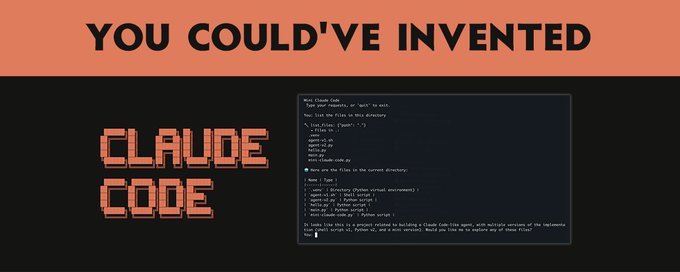
你本可以发明 Claude Code
复杂性来自于处理边界情况、构建良好的用户体验以及与实际开发工作流程集成。
在这篇文章中,我将从头开始,逐步构建 Claude Code 的架构,展示如何仅使用终端、LLM API 和使 AI 真正有用的愿望,从第一性原理出发自己发明它。
最终目标:学习强大的代理如何工作,以便你可以构建自己的代理
首先,让我们确定要解决的问题。
当你在浏览器中使用 ChatGPT 或 Claude 时,你正在进行大量的手工劳动:
-
将代码从聊天复制粘贴到文件中
-
自己运行命令,然后复制错误信息
-
通过上传文件或粘贴内容来提供上下文
-
手动迭代修复-测试-调试循环
你本质上是在充当 AI 的双手。 AI 思考;你执行。
如果 AI 也能执行呢?
想象一下告诉 AI:“修复 auth.py 中的 bug”,然后走开。当你回来时,bug 已经修复。 AI 读取了文件,理解了它,尝试了一种修复方法,运行了测试,发现它们失败了,尝试了另一种方法,最终成功了。
这就是代理所做的事情。它是一个可以执行以下操作的 AI:
-
在现实世界中采取行动(读取文件、运行命令)
-
观察结果
-
决定下一步做什么
-
重复直到任务完成
让我们从头开始构建一个。
最简单的代理
让我们从绝对最小值开始:一个可以运行单个 bash 命令的 AI。
用法
> fix_bug("ls -l")
total 16
-rw-r--r--  1 ubuntu  staff  823 Jan 11 22:34 README.md
-rw-r--r--  1 ubuntu  staff  133 Jan 11 22:34 main.py
这...不是很有用。 AI 可以提出一个命令,然后你又得手动完成所有事情。
但这里有一个关键的见解:如果我们把它放在一个循环中会怎样?
目标:创建代理循环
所有 AI 代理背后的基本见解是代理循环:
让我们准确地实现这一点。 AI 需要告诉我们:
-
要采取什么行动
-
是否完成
我们将使用一个简单的 JSON 格式:
{
    "action": "bash",
    "command": "ls -l",
    "done": false
}
现在我们有一些可以实际迭代的东西:
> fix_bug("Fix the linting errors")
AI: {"action": "bash", "command": "pylint main.py", "done": false}
OUTPUT: main.py:1:0: C0301: Line too long (133/100) (line-too-long)
AI: {"action": "bash", "command": "autopep8 main.py", "done": false}
OUTPUT:
AI: {"action": "done", "done": true}
AI 运行了两个命令,然后告诉我们它完成了。我们创建了一个代理循环!
但是等等!我们正在执行任意命令,没有安全检查。 AI 可以 rm -rf /,我们会盲目地执行它。
目标:添加权限控制
让我们为危险操作添加人工参与的环节。首先,我们定义一个函数,用安全检查包装命令执行:
def eval_with_approval(command):
    # Ask user for approval
    approval = input(f"Approve command? {command} (y/n): ")
    if approval.lower() == 'y':
        return eval(command)
    else:
        return "Command denied"
然后,在代理循环内部,我们将直接的 eval 调用替换为我们的新函数:
action = response["action"]
if action == "bash":
    command = response["command"]
    observation = eval_with_approval(command)
就是这样!该函数位于 AI 的请求和实际执行之间,让你有机会阻止危险命令。当被拒绝时,你可以将此反馈给 AI,以便它可以尝试不同的方法。
尝试一下:
> fix_bug("Delete all the files")
AI: {"action": "bash", "command": "rm -rf /", "done": false}
Approve command? rm -rf / (y/n): n
AI: {"action": "done", "done": true}
键入 y 以允许删除,或键入 n 以阻止它。
这是权限系统的开始。 Claude Code 在此基础上更进一步:
-
特定于工具的权限(文件编辑与 bash 命令)
-
基于模式的允许列表(
Bash(npm test:*)允许任何npm test命令) -
会话级别的“接受所有”模式,用于当你信任 AI 时
关键的见解:人应该能够控制 AI 可以做什么,但要有足够的粒度,使其不会令人讨厌。
目标:超越 bash - 添加工具
运行 bash 命令功能强大,但它也是:
-
危险:无限制地访问系统
-
效率低下:读取文件不应产生子进程
-
不精确:输出解析很脆弱
如果我们给 AI 提供结构化的工具会怎样?
我们将在这里切换到 Python,因为它能更干净地处理 JSON 和 API 调用:
tools = {
    "read_file": lambda path: open(path).read(),
    "write_file": lambda path, content: open(path, 'w').write(content)
    }

def run_agent(task):
    prompt = f"You can use these tools: {tools.keys()}"
    while True:
        response = anthropic.completions.create(
            model="claude-2",
            max_tokens_to_sample=1000,
            prompt=f"{prompt}\nUser: {task}\nAI:",
            stop_sequences = ["\nUser:"]
        ).completion
        try:
            action = extract_json(response)
            if action["action"] == "read_file":
                content = tools["read_file"](action["path"])
                prompt += f"\nFile content: {content}"
            elif action["action"] == "write_file":
                tools["write_file"](action["path"], action["content"])
                prompt += "\nWrote file"
            elif action["action"] == "done":
                return action["answer"]
        except:
            prompt += "\nError. Please try again."
现在我们正在使用 Anthropic 的原生工具使用 API。这要好得多,因为:
-
类型安全:AI 确切地知道每个工具接受哪些参数
-
显式操作:读取文件是一个
read_file调用,而不是cat -
受控的表面积:我们决定存在哪些工具
尝试一下:
> run_agent("List the files in the directory")
AI: {"action": "read_file", "path": "ls -l"}
OUTPUT: Error. Please try again.
AI: {"action": "read_file", "path": "README.md"}
OUTPUT: Claude > ChatGPT
AI: {"action": "done", "answer": "Files: README.md"}
目标:使编辑精确
我们的 write_file 工具存在一个问题:它会替换整个文件。如果 AI 对一个 1000 行的文件进行了小的更改,它必须输出所有 1000 行。这是:
-
昂贵:更多的输出 tokens = 更多的成本
-
容易出错:AI 可能会意外删除行
-
缓慢:生成这么多文本需要时间
如果我们有一个用于外科手术式编辑的工具会怎样?
实现:
def str_replace(path, old, new):
    content = open(path).read()
    assert old in content # prevent mass replacement
    content = content.replace(old, new)
    open(path, 'w').write(content)

tools = {
    "read_file": lambda path: open(path).read(),
    "write_file": lambda path, content: open(path, 'w').write(content),
    "str_replace": str_replace
    }
这正是 Claude Code 的 str_replace 工具的工作方式。对唯一性的要求可能看起来很烦人,但它实际上是一个功能:
-
迫使 AI 包含足够的上下文以消除歧义
-
创建一个自然的差异,便于人类审查
-
防止意外的大量替换
目标:搜索代码库
到目前为止,我们的代理可以读取它知道的文件。但是像“找到身份验证 bug 的位置”这样的任务呢?
AI 需要搜索代码库。让我们为此添加工具。
import glob, subprocess
tools = {
    "read_file": lambda path: open(path).read(),
    "write_file": lambda path, content: open(path, 'w').write(content),
    "str_replace": str_replace,
    "glob": glob.glob
    "grep": lambda pattern, path: subprocess.check_output(['grep', pattern, path]).decode('utf-8')
    }
现在 AI 可以:
-
glob("**/*.py")→ 查找所有 Python 文件 -
grep("def authenticate", "src/")→ 查找身份验证代码 -
read_file("src/auth.py")→ 读取相关文件 -
edit_file(...)→ 修复 bug
这就是模式:为 AI 提供探索工具,它可以导航以前从未见过的代码库。
目标:上下文管理
以下是你将很快遇到的问题:上下文窗口是有限的。
如果你在一个大型代码库上工作,对话可能如下所示:
-
用户:“修复身份验证中的 bug”
-
AI:读取 10 个文件,运行 20 个命令,尝试 3 种方法
-
...对话现在有 100,000 个 tokens
-
AI:耗尽上下文并开始忘记早期信息
我们该如何处理这个问题?
选项 1:摘要(压缩)
当上下文变得太长时,总结发生了什么:
conversation = summarize(conversation)
选项 2:子代理(委派)
对于复杂的任务,生成一个具有自己上下文的子代理:
sub_agent = Agent(context=smaller_context)
sub_agent.run(focused_task)
这就是 Claude Code 具有子代理概念的原因:专门的代理在其自己的上下文中处理集中的任务,仅返回结果。
目标:系统提示
我们一直在忽略一些重要的事情:AI 如何知道如何表现?
系统提示是你编码的地方:
-
AI 的身份和能力
-
工具使用指南
-
特定于项目的上下文
-
行为规则
以下是一个简化的版本,说明了 Claude Code 的有效性:
You are Claude Code, an AI coding assistant.
- Use the tools to understand the codebase, then write code to solve the task.
- Start by listing the files in the directory.
- When writing code, be concise.
但这里有一个问题:如果项目有特定的约定怎么办?如果团队使用特定的测试框架,或者具有非标准的目录结构怎么办?
目标:特定于项目的上下文(CLAUDE.md)
Claude Code 使用 CLAUDE.md 解决了这个问题 - 项目根目录下的一个文件,该文件会自动包含在上下文中:
# Project: FancyProject

This project uses pytest for testing. Run tests with: pytest tests/.
The source code is in the src/ directory.
The authentication code is in src/auth.py.
现在 AI 知道:
-
如何为此项目运行测试
-
在哪里可以找到东西
-
要遵循哪些约定
-
要注意哪些已知的陷阱
这是 Claude Code 最强大的功能之一:随代码一起传递的项目知识。
将它们放在一起
让我们看看我们构建了什么。 AI 编码代理的核心是这个循环:
-
设置(运行一次)
-
加载带有工具描述、行为准则和项目上下文的系统提示(CLAUDE.md)
-
初始化一个空的对话历史记录
-
-
代理循环(重复直到完成)
-
将对话历史记录发送到 LLM
-
LLM 决定:使用工具或回复用户
-
如果使用工具:
-
LLM 选择一个工具并提供参数
-
执行该工具并观察结果
-
将结果添加到对话历史记录
-
-
如果最终答案:
- 将答案返回给用户
-
就是这样。从我们的 50 行 bash 脚本到 Claude Code,每个 AI 编码代理都遵循这种模式。
现在让我们构建一个完整的、可工作的 mini-Claude Code,你可以实际使用它。它结合了我们所学的一切:代理循环、结构化工具、权限检查和一个交互式 REPL:
import anthropic, json, os, glob, subprocess

# -----------------------------------------------------------------------
# CONFIG
# -----------------------------------------------------------------------

MODEL_NAME = "claude-2"
SYSTEM_PROMPT = """
You are a coding assistant. You can use tools to read, write, and modify files.
"""
# -----------------------------------------------------------------------
# TOOLS
# -----------------------------------------------------------------------

def read_file(path):
    print(f"READ: {path}")
    try: return open(path).read()
    except: return "Error: Could not read file."

def write_file(path, content):
    print(f"WRITE: {path}")
    with open(path, 'w') as f:
        f.write(content)
    return "Wrote file successfully."

def str_replace(path, old, new):
    print(f"REPLACE: {path}")
    content = open(path).read()
    assert old in content # prevent mass replacement
    content = content.replace(old, new)
    open(path, 'w').write(content)
    return "Replaced text successfully."

def run_command(command):
    print(f"RUN: {command}")
    try:
        result = subprocess.check_output(command, shell=True, stderr=subprocess.STDOUT).decode('utf-8')
        return result
    except subprocess.CalledProcessError as e:
        return f"Error: {e.output.decode('utf-8')}"

TOOLS = {
    "read_file": read_file,
    "write_file": write_file,
    "str_replace": str_replace,
    "run_command": run_command,
    "glob": glob.glob,
}

# -----------------------------------------------------------------------
# AGENT
# -----------------------------------------------------------------------

def run_agent(task, conversation):
    prompt = f"""{SYSTEM_PROMPT}

You have access to these tools: {TOOLS.keys()}.
To use a tool, specify the tool name and parameters in JSON.
For example: {{"tool": "read_file", "path": "my_file.txt"}}

Here is the conversation history:
{conversation}

Now, respond to the user.
User: {task}
AI: """

    response = anthropic.completions.create(
        model=MODEL_NAME,
        max_tokens_to_sample=2000,
        prompt=prompt,
        stop_sequences = ["User:"]
    ).completion

    try:
        action = json.loads(response)
        tool_name = action["tool"]
        tool = TOOLS[tool_name]
        params = {k: v for k, v in action.items() if k != "tool"} # remove "tool"
        observation = tool(**params)

        conversation += f"User: {task}\nAI: {response}\nObservation: {observation}\n"
        return observation, conversation
    except Exception as e:
        return f"I don't understand. Error: {e}", conversation

# -----------------------------------------------------------------------
# MAIN LOOP
# -----------------------------------------------------------------------

if __name__ == "__main__":
    os.environ["ANTHROPIC_API_KEY"] = input("Please enter your Anthropic API key: ")
    conversation = ""
    while True:
        task = input("Enter your task: ")
        observation, conversation = run_agent(task, conversation)
        print(observation)
将其另存为 mini-claude-code.py 并运行它:
python mini-claude-code.py
这是一个会话的样子:
Enter your task: List the files in the current directory
RUN: ls -l
total 24
-rw-r--r-- 1 ubuntu ubuntu  3753 Jan 12 00:49 mini-claude-code.py
-rw-r--r-- 1 ubuntu ubuntu   144 Jan 12 00:25 README.md
...
Enter your task: Read the contents of mini-claude-code.py
READ: mini-claude-code.py
import anthropic, json, os, glob, subprocess
...
Enter your task: Replace MODEL_NAME with claude-v1
REPLACE: mini-claude-code.py
Replaced text successfully.
Enter your task: done
Okay, I'm done!
这是一个在约 150 行代码中工作的 mini Claude Code 克隆。它具有:
-
交互式 REPL:在提示之间保持对话上下文
-
多个工具:读取、写入、列出文件、运行命令
-
权限检查:在写入文件或运行危险命令之前询问
-
对话记忆:每个后续步骤都建立在先前的上下文之上
这本质上是 Claude Code 所做的,加上:
-
一个精致的终端 UI
-
完善的权限系统
-
当对话变长时进行上下文压缩
-
用于复杂任务的子代理委派
-
用于自定义自动化的Hook
-
与 git 和其他开发工具集成
Claude 代理 SDK
如果你想在此基础上进行构建,而无需重新发明轮子,Anthropic 提供了 Claude 代理 SDK。 它是为 Claude Code 提供支持的同一引擎,以库的形式公开。
以下是使用 SDK 的简单代理的样子:
from claude_agent import ClaudeAgent

agent = ClaudeAgent(
    model_name="claude-2",
    system_prompt="You are a helpful coding assistant."
)

response = agent.run(task="List the files in the current directory")
print(response)
SDK 处理:
-
代理循环(因此你不必这样做)
-
所有内置工具(读取、写入、编辑、Bash、Glob、Grep 等)
-
权限管理
-
上下文跟踪
-
子代理协调
我们学到了什么
从一个简单的 bash 脚本开始,我们发现:
-
代理循环:AI 决定 → 执行 → 观察 → 重复
-
结构化工具:比原始 bash 更好,更安全、更精确
-
外科手术式编辑:
str_replace胜过完整的文件重写 -
搜索工具:让 AI 探索代码库
-
上下文管理:压缩和委派处理长时间任务
-
项目知识:CLAUDE.md 提供特定于项目的上下文
这些中的每一个都源于一个实际问题:
-
“如何让 AI 做更多的事情?” → 代理循环
-
“如何防止它破坏我的系统?” → 权限系统
-
“如何使编辑高效?” →
str_replace工具 -
“它如何找到它不知道的代码?” → 搜索工具
-
“当上下文耗尽时会发生什么?” → 压缩
-
“它如何知道我的项目的约定?” → CLAUDE.md 这就是你本可以发明 Claude Code 的方式。 核心思想很简单。
再次 - 复杂性来自于处理边界情况、构建良好的用户体验以及与实际开发工作流程集成。
下一步
如果你想构建自己的代理:
-
从简单的开始:一个具有 2-3 个工具的基本代理循环
-
逐步添加工具:每个新功能都应解决一个实际问题
-
优雅地处理错误:工具会失败;你的代理应该恢复
-
在实际任务上进行测试:边界情况会告诉你缺少什么
-
考虑使用 Claude 代理 SDK:为什么要重新发明轮子?
软件开发的未来是实际可以做事情的代理。 现在我们知道它们是如何工作的了!
资源:
如果你有兴趣构建可验证的代理,请查看我们在
所做的工作。
- 原文链接: x.com/dabit3/status/2009...
- 登链社区 AI 助手,为大家转译优秀英文文章,如有翻译不通的地方,还请包涵~

 GitHub 登录
 Web3 钱包登录